AI Workflow Automation for Businesses: How AI Automates Real Business Processes
Many companies talk about AI automation—but far fewer understand how it actually works inside real business processes.
In reality, AI doesn’t replace entire workflows overnight. What it does is far more practical and valuable: it automates specific decisions, steps, and handoffs within existing workflows, reducing manual effort while improving speed, accuracy, and consistency. This means tasks that once required hours of manual work can now be completed in minutes, freeing employees to focus on higher-value activities. For instance, a finance team using AI for invoice processing can cut manual review time by up to 70%, according to recent industry surveys. In another case, a customer support team reduced ticket triage time by 50%, allowing faster resolution of high-priority issues.
Understanding this distinction is critical. Companies that succeed with AI automation don’t start by buying tools—they start by understanding how AI fits into the flow of work. For example, a finance team may begin by identifying repetitive invoice approvals, rather than implementing a full AI system at once. This staged approach ensures adoption is smooth and measurable. Early adopters often report faster adoption and lower resistance from employees when starting small and measurable.
In this guide, you’ll learn how AI workflow automation works in real businesses, with practical, process-level examples across finance, operations, and HR—without vendor hype or generic productivity advice.
To understand the broader impact of AI in business beyond automation tactics, read our AI for Business: How Companies Use AI to Scale and Grow.
What Is AI Workflow Automation in Business?
AI workflow automation is the use of artificial intelligence to automate decision-making and actions within business processes. Unlike rule-based automation, AI-powered workflows can analyze data, handle unstructured inputs, adapt to changing conditions, and operate alongside humans through supervised decision steps.
In practice, this means AI can automatically detect errors in a contract, prioritize requests in an inbox, or suggest the next best action in a supply chain scenario—all in real time. For example, a mid-sized logistics company used AI to triage supplier requests, cutting response times by 50% while maintaining human oversight. Another example: a retail company applied AI to detect invoice discrepancies, reducing payment errors by 80%.
Quick Overview
| Item | Details |
|---|---|
| Topic | AI Workflow Automation for Businesses |
| Last Updated | 2026 |
| Difficulty | Intermediate |
| Reading Time | ~16 minutes |
| Target Audience | Business leaders, operations managers, enterprise teams |
Traditional Workflow Automation vs AI-Powered Automation
Rule-Based Workflow Automation
Traditional workflow automation relies on explicit, predefined rules:
- If X happens → do Y
- Structured inputs only
- Minimal tolerance for variation
This approach works well for highly repetitive, predictable processes. However, it struggles when:
- Inputs change frequently
- Data is incomplete or unstructured
- Decisions require prioritization or judgment
For example, a standard invoice approval system may reject an invoice simply because a field is missing, even if all other data is correct. As businesses scale, these limitations become more visible, resulting in delays and manual overrides.
What AI Adds to Business Workflows
AI-powered automation changes how workflows operate by introducing:
- Pattern recognition instead of fixed rules
- Probabilistic decision-making
- The ability to interpret text, documents, and signals
Rather than asking “Did condition X occur?”, AI evaluates “What is most likely happening, and what should happen next?” This allows workflows to adapt dynamically to changing inputs, reducing bottlenecks and human error— learn more from academic research on intelligent automation.
By learning from historical data, AI can continuously improve decisions, enabling workflows to become more resilient, flexible, and scalable—especially in complex business environments with high variability. For instance, a manufacturing company applied AI to adjust production schedules dynamically, improving on-time delivery by 25%.
How AI Workflow Automation Works Step by Step
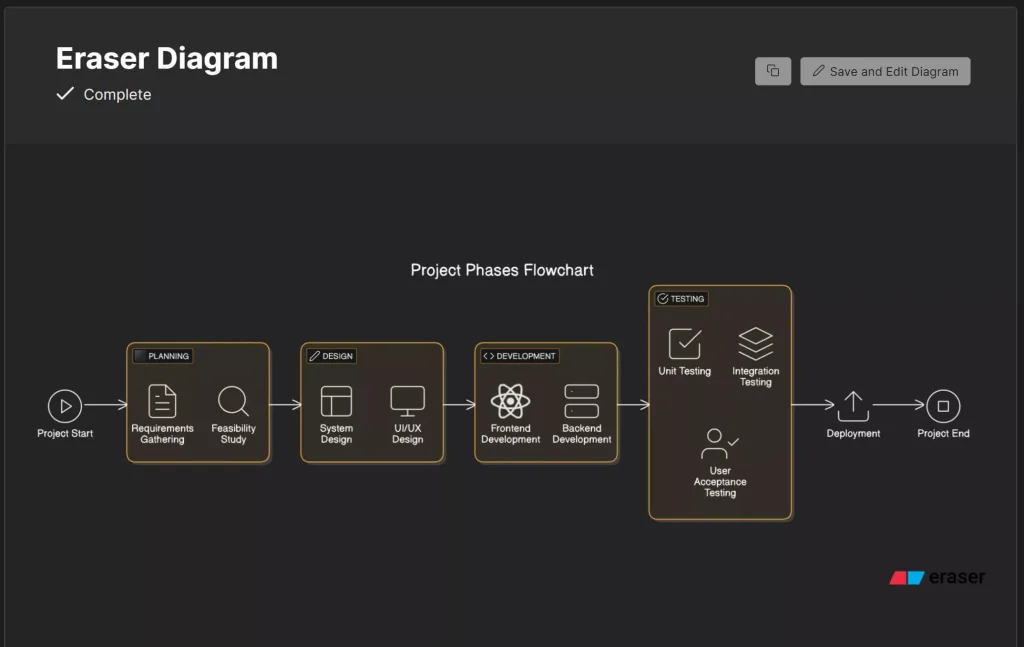
Despite its complexity, AI workflow automation follows a clear operational structure that can be adapted to different departments and processes.
1. Inputs: Data, Documents, and Signals
AI workflows begin with inputs such as:
- Invoices, contracts, and forms
- Emails, requests, and messages
- System events and operational logs
These inputs are often inconsistent, unstructured, or noisy—something traditional automation cannot reliably handle. For instance, scanned documents may have typos or missing fields; emails may be phrased in different ways. AI models process these variations reliably, ensuring the workflow continues without interruption.
2. Decision Layer: Classification, Prediction, and Prioritization
At the core of AI workflow automation is the decision layer. Here, AI models:
- Classify information (e.g., type of request, urgency)
- Predict outcomes (e.g., likelihood of approval or error)
- Prioritize actions (e.g., urgent vs routine tasks)
This layer replaces rigid logic with adaptive intelligence, allowing workflows to respond to exceptions and learn from historical outcomes. For example, the system may flag a high-risk transaction for human review while automatically processing low-risk ones. This adaptability allows businesses to scale operations without proportionally increasing staff.
3. Actions: Execution, Approvals, and Escalation
Based on the AI-driven decision:
- Tasks may be executed automatically
- Approvals routed to the right stakeholders
- Exceptions escalated for review
The workflow continues without manual intervention unless needed. This reduces delays and ensures that human effort is focused where it adds the most value.
4. Human-in-the-Loop and Exception Handling
Effective AI workflows do not remove humans from the process. Instead:
- AI handles high-volume, low-risk cases
- Humans oversee exceptions, audits, and sensitive decisions
This hybrid approach ensures efficiency without sacrificing control or accountability, and creates trust in AI adoption across teams. Studies show that human-in-the-loop approaches reduce errors by up to 60% compared with fully automated systems in complex tasks.
AI Workflow Automation Examples in Finance

Finance teams are often early adopters because their workflows are structured, measurable, and high-volume. AI can automate tasks that were previously time-consuming and error-prone.
Common AI-automated finance workflows include:
- Invoice extraction and validation – AI reads invoices, flags inconsistencies, and routes them for approval.
- Expense categorization and policy checks – Ensures expenses comply with corporate rules.
- Payment approval routing – Prioritizes urgent payments and reduces bottlenecks.
- Fraud signal detection – Identifies unusual transactions before they become issues.
The result is faster processing, fewer errors, improved compliance, and measurable ROI. For example, a multinational company reduced manual invoice errors by 80% in six months using AI-driven finance workflows— check industry case studies on AI workflow automation outcomes.
AI Workflow Automation Examples in Operations
Operations workflows benefit from AI where speed and prioritization are critical.
Typical use cases include:
- Incident classification and triage – Quickly categorizes support tickets to the correct team.
- Demand forecasting signals – Predicts spikes in orders and adjusts supply chain decisions.
- Inventory and supply chain adjustments – Optimizes stock levels in real time.
- Resource allocation decisions – Ensures teams and equipment are used efficiently.
AI enables faster responses and allows operations teams to focus on high-impact issues rather than routine coordination. In one case, a logistics company reduced stockouts by 30% using AI-driven demand signals.
To understand how operations teams integrate AI beyond workflow automation, see our insights on AI Analytics for Business Decision Making.
AI Workflow Automation Examples in HR

HR teams manage large volumes of requests, documents, and interactions, making them ideal candidates for AI automation.
AI-powered HR workflows often include:
- Resume and application screening – Highlights top candidates and reduces initial review time.
- Employee onboarding documentation – Automates document collection and verification.
- Policy request routing – Directs employee questions to the right department.
- Internal support ticket classification – Organizes queries efficiently for faster resolution.
These workflows reduce administrative burden while preserving human oversight in people-centric decisions, allowing HR teams to focus on strategic initiatives. For instance, a tech company cut onboarding time from two weeks to three days using AI document processing.
Which Business Processes Should Not Be Automated with AI
AI automation is powerful—but not universal.
Processes that typically should not be automated include those that:
- Require emotional intelligence or empathy
- Involve rare, high-stakes decisions
- Lack sufficient data or clear success metrics
AI works best where patterns exist and outcomes can be evaluated over time. For example, employee performance reviews require context and judgment that AI cannot replicate.
How These AI Workflows Are Enabled by Modern AI Platforms
Most companies don’t build AI workflows from scratch.
Instead, they rely on modern platforms that combine:
- Workflow orchestration
- AI decision engines
- Integration with existing business systems
These platforms provide the infrastructure to implement workflows reliably and at scale. Understanding how workflows function comes first. Choosing the right platform comes later, ensuring you implement AI where it creates the most measurable value.
If you’re evaluating which AI platforms enable these workflows in practice, this comparison of AI SaaS tools for businesses provides a practical overview of available options and trade-offs — see Best AI SaaS Tools for Businesses.
Frequently Asked Questions about AI Workflow Automation
What is AI workflow automation?
AI workflow automation uses artificial intelligence to automate decisions and actions within business processes, allowing workflows to adapt, scale, and handle complex inputs more effectively than rule-based systems.
How is AI workflow automation different from RPA?
RPA automates repetitive tasks using fixed rules. AI workflow automation adds learning, prediction, and flexibility, enabling automation in more complex and variable processes.
Which business functions benefit most from AI workflows?
Finance, operations, and HR typically see the fastest impact due to high process volume, measurable outcomes, and operational complexity.
Do AI workflows always require human oversight?
Yes. The most effective AI workflows include human-in-the-loop controls for exceptions, audits, and high-impact decisions.
Is AI workflow automation only for large enterprises?
Large enterprises adopt it fastest, but mid-sized companies also benefit, especially in process-heavy functions.
Can small businesses use AI workflow automation?
Yes, small businesses can implement AI in specific high-volume or repetitive processes, such as invoice handling or customer ticket triage, with measurable efficiency gains.
How do companies measure ROI from AI workflow automation?
ROI is measured by time saved, error reduction, faster decision-making, and compliance improvements. Using dashboards or analytics platforms helps quantify AI impact.
Conclusion: Turning AI Into Real Operational Impact
AI workflow automation isn’t about replacing teams or departments. It’s about making business processes smarter, faster, and more resilient by automating the right decisions at the right moments.
Once you understand how AI-powered workflows operate in practice, the next logical step is choosing the right platforms or defining an adoption strategy aligned with your organization’s maturity and goals. Clear planning ensures measurable ROI, smoother adoption across teams, and tangible business outcomes. A practical next step is to map your key workflows and identify where AI can make the most measurable impact.
Related Articles
- AI for Business: How Companies Use AI to Scale and Grow
- Best AI SaaS Tools for Businesses
- AI Implementation Strategy for Companies