Expense Tracking Automation: How to Manage Invoices Without an Accountant
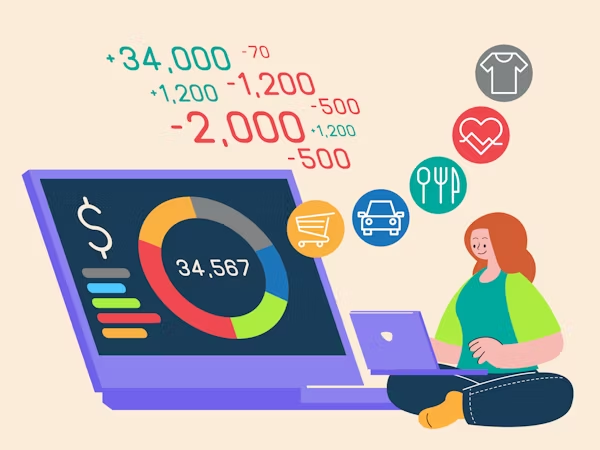
A large portion of the business owners I’ve met, or cases I’ve seen, think of expense tracking as a dreaded ritual that has to be done every Sunday. They picture a mountain of pending receipts, a disastrous Gmail inbox, and zero sense of order.
If you’re still manually typing numbers into a spreadsheet, you aren’t being organized, nor are you working in the smartest or most optimized way. Implementing expense tracking automation is the only way to stop losing high-value billable hours on tasks that a basic, well-structured algorithm can handle in seconds. In the market, this type of administrative action is a massive difference-maker between well-thought-out companies and those just ‘winging it.’ It’s not just a boring process—it’s expensive. In fact, according to the latest financial analytics market forecasts, the transition toward automated data processing is no longer optional; it’s the standard for any business looking to remain competitive through 2026.
What is Expense Tracking Automation and How Does it Work?
Expense tracking automation consists of getting out of the way or handling your company’s financial workflow in a smart and efficient manner. We use OCR (Optical Character Recognition) to let the software read and identify your receipts and cloud workflows to distribute that exact data where it belongs. It turns paper notes, which often become chaotic, into a digital ledger. No manual entry. No human error. Just a small weekly review on your part.
The Hidden Cost of Manual Bookkeeping (And Why You Must Automate)
I’ve seen cases of agencies and companies losing a lot of money in tax deductions by losing receipts. It sounds absurd, but it often happens every tax season. Manual tracking is very prone to being forgotten. By the time you sit down to do the tracking, you’ve already forgotten if that $200 Amazon charge was for office supplies or what exactly it was for. Automation captures the data at the exact moment it happens. If you want to scale to seven-figure revenues, you have to stop acting as your own data entry clerk.
The “Hands-Off” Framework: A 3-Step Automation Workflow
Forget about “fancy apps” for a second. You need a flow that works while you sleep. This is how I set up professional infrastructures that actually work:
Step 1: Intelligent Data Capture (The OCR Engine)
Stop saving PDFs to your desktop. This simply makes the task harder and messier for you; besides, a single mistake in saving a document in the wrong place can throw everything off balance. This is why the first pillar of expense tracking automation is capturing data at the source.
- The Gmail Shortcut: This is the lifesaver. Set up a filter in Gmail: any email with “Invoice” or “Receipt” from senders like Adobe, AWS, or Slack is automatically forwarded to your tool’s private inbound address (like @dext.cc). It doesn’t even hit your inbox; it goes directly to the place where it actually matters and where things are managed.
- Physical receipts are trash. Take a photo with your phone before you even start the car. Professional OCR tools don’t just read the total; they extract the vendor’s name, the date, the currency, and fundamentally, the sales tax breakdown (GST/VAT). If your tool misses the tax line, it’s useless for a clean audit.

Step 2: Automated Categorization and Intelligent Mapping
Most founders capture the data but then spend hours classifying it in QuickBooks or folders. To avoid this, a proper expense tracking automation setup uses smart mapping to do the heavy lifting for you.
- Supplier Rules: This is the brain of your system. You must establish permanent rules: “Any charge from ‘Uber’ is always ‘Travel’ and assigned to ‘Client Meetings’.” Once configured, the software categorizes the invoice before you even open the app, and that is the most important part because this way you have everything well-structured, but above all, well-controlled.
- Smart Matching: Your automation tool should sit between your receipts and your bank feed. It looks at a $42.50 charge on your Amex and finds the $42.50 receipt in your inbox. Your only job is to look at the match and click confirm once a week.
Step 3: Seamless Cloud Accounting Reconciliation
This is the bridge to your General Ledger (QuickBooks, Xero).
- Daily Syncing: Don’t wait for the end of the month. Your data should be sent to your accounting software daily. This gives you a real-time view of your cash flow, not a late view from 30 days ago.
- The Audit Shield: A professional system attaches the original receipt image directly to the transaction line in your books. If the IRS knocks on your door, you don’t search through folders. You just share a read-only link to your ledger.

A Note on the Past: What About My Old Receipts?
There’s a very split opinion here; there are people who, because they have old receipts, never start automating the new ones because they think it’s too late. Then there are other people who simply start automating new receipts and set aside or forget about the old ones. The biggest mistake is trying to digitize a two-year backlog before starting. You’ll get overwhelmed and quit in three days. Mark a line or a starting point—for example, the first day of next month. Everything that happens from that date forward is automated. From that date on, all receipts will be automated, and with the old receipts, the best thing you can do is let your accountant handle them one last time to get everything in order. But you, focus on the future.
Top Tools for Financial Automation in 2026: Deep Dive
Not all software is created equal, nor do they serve the same types of companies, goals, or characteristics. I’ve tested most of these tools so you don’t have to. Here is the real breakdown for the market:

1. Dext – The Accuracy Leader
Dext is for people who hate clerical errors. While QuickBooks has a built-in scanner, it’s frankly clunky and often misses the tax breakdown or gets confused by blurry thermal paper.
- Ideal for: Agencies or companies with a very high volume or companies with complex requirements (like splitting an invoice into three different project categories).
- The Technical Edge: Its OCR is incredibly accurate. It can handle multiple currencies and “Direct User Fetch,” which logs into difficult portals (like some utility companies) to get the invoice for you. It is arguably the most precise tool for anyone serious about professional expense tracking automation.
2. Hubdoc – The “Set it and Forget it” Specialist
Hubdoc is the king of organization. Its superpower is “Auto-Fetch.” It can log into thousands of suppliers (utilities, phone, banks) to pull statements and invoices automatically; therefore, that means it takes a lot of work off your plate and is easy to use.
- Ideal for: Xero users who want a zero-contact, zero-editing experience and need a mirrored, searchable backup of every document in Google Drive or Dropbox without lifting a single finger.
- The Limitation: It’s a bit less “intelligent” in its categorization rules compared to Dext, but it performs its function very well. For a simple service business, it’s perfect as it doesn’t need significant maintenance or editing and gives you good results.
3. Ramp – The All-in-One Fintech Disruptor
Ramp isn’t just a tool; it’s a corporate card that forces automation. When you spend money on a Ramp card, you get a text message instantly. You reply with a photo of the receipt, and the AI matches it to the transaction before you’ve even left the place.
- Ideal for: Scalable startups and teams. It completely eliminates expense reports because the “report” is created the second the card is swiped. This makes the process much more automatic and organized; plus, doing it instantly allows you to focus 100% on other tasks without having to think about making a report or that purchase you made 4 hours ago.
- The Reality: You need to switch your business spending to their ecosystem, but the 1.5% cashback and the time saved by having expense tracking automation handle your employees’ receipts makes it very useful and convenient for companies, especially in cases where team members have frequent expenses.
In my opinion, the best option is Ramp. For larger teams where expenses might be more divided and not come from a single person, it allows for better organization. Aside from this, it also makes the process much more automatic with no reports involved.
Avoiding Common Pitfalls: Security and IRS Compliance
“Is my data safe?” Yes. In fact, it’s not just that they are safe; they are safer than in a folder in your office or a physical location at your company. The IRS has officially accepted digital records for decades. According to the IRS Revenue Procedure 97-22, electronic storage systems are fully compliant as long as they maintain accurate, retrievable, and legible images of your original documents.
But here is the real risk: Redundancy. Don’t trust just one cloud. Ensure your stack includes a “Deep Archive”—a mirrored copy of every receipt in a searchable Dropbox or Google Drive folder. If a SaaS company goes bust or changes their prices, your seven years of tax records shouldn’t be held hostage.
Frequently Asked Questions
Do I still need an accountant if I automate? Yes, but stop paying them to be a glorified typist. Use automation for the “heavy lifting” so you can pay your CPA for high-level tax strategy and ROI analysis.
Is my data secure in the cloud? These tools use AES-256 encryption (the same as your bank). Statistically, you are more likely to lose your data in a physical fire or a coffee spill than in a security breach of a Dext or QuickBooks server.
How much does it really cost? Expect to pay between $40 and $80 per month. If your time is worth $100/hour and you save 10 hours a month, you are literally getting a 1,000% ROI. The numbers are undeniable.
Conclusion: Stop Pushing Paper
The most successful CEOs and the most successful companies aren’t the ones who work the hardest; they are the ones who knew how to make the shift from manual work to the automation of their tasks. The transition to an automated system might cost an afternoon of configuration and work, but it pays off for the life of your business.
Pick a tool, Dext or Hubdoc, and connect your main business email today. Stop being the slave to your own receipts and start being the CEO.