7 Critical WooCommerce Security Mistakes That Are Leaking Your Revenue
Most e-commerce owners think of security as a “one-and-done” task at the start of the process. They install it, forget it, and completely ignore the ongoing work required to actually maintain a secure store. They set up an SSL, install a generic security plugin, and think they’ve done their homework. They feel safe, but they’re not. In many cases, relying on default configurations is the exact reason why stores with decent traffic see their numbers vanish in a single weekend.
In 2026, WooCommerce security isn’t just a technical checkbox on your to-do list that you mark off once and ignore for months; it is a financial shield for your business. If your checkout page goes down for even 10 minutes during a sales peak, you’re not just losing money—you’re destroying your brand’s image and reputation in front of your customers.
What Does WooCommerce Security Hardening Really Mean? (Beyond the Marketing)
Hardening is a process where the goal is to shrink your “attack surface.” It’s about moving away from reactive patching toward a proactive, well-structured infrastructure design. Most attacks are automated scripts looking for the path of least resistance. Hardening makes your store significantly harder—and much more expensive—to hack.
Let’s dive into the specific gaps in your WooCommerce security that are putting your business at risk
1. The “Admin” Trap: Stop Leaving the Front Door Open
If you’re still using /wp-admin to log in, you are drastically increasing the chances that global botnets will target your site. I recently experienced this firsthand with a new project I’m starting. Suddenly, I saw a massive spike in traffic and received an instability warning from my hosting provider. After investigating, I found the culprit: it wasn’t the host—it was thousands of automated visits per minute trying to force their way through my login page.
Even when bots don’t guess your password, the sheer volume of POST requests saturates your PHP processes (PHP-FPM). Every attempt forces your server to query the database to verify credentials. This slows down the site for real customers because your server is too busy talking to bots.
- The Solution: Move your access path to something random, like
/ecom-entry-77. - The Result: By moving the path, bots hit a 404 error. Processing a 404 at the server level consumes almost zero resources compared to a full PHP authentication cycle. This can drop your CPU load from 90% to 5% instantly.
2. Technical Debt: Those “Zombie” Plugins Will Kill You
According to the 2025 Wordfence Security Report, over 60% of vulnerabilities come from these forgotten “zombies.” Hackers scan stores running versions with known CVEs (Common Vulnerabilities and Exposures). They don’t need to try hard; they simply use the public documentation of an old plugin you still have installed to break into your system, bypassing even the most basic WooCommerce security measures you might have in place.

This threat is backed by recent deep-dive analysis into WordPress ecosystem vulnerabilities, which shows that a staggering 90% of security flaws are found in third-party plugins rather than the core software.
- My Advice: If a plugin isn’t essential or you don’t use it frequently, delete it. Don’t just deactivate it. A deactivated plugin is still code on your server, and Remote Code Execution (RCE) attacks can still trigger it.
3. The Financial Reality: The True Cost of a Breach
Right now, security errors and their consequences—like heavy fines—are putting many e-commerce projects on the brink of closure or forcing them to shut down entirely. In the USA market, neglecting compliance isn’t just a mistake; it’s a financial death sentence.
4. REST API Vulnerabilities: Stop the Information Leak
The WooCommerce REST API is the “brain” that lets your store talk to external apps. By default, it’s often too “chatty,” exposing endpoints that can leak usernames and IDs.
- Corporate Espionage: If your API isn’t locked down, a competitor can use automated scrapers to analyze your real sales volume or inventory levels. They can see exactly how your business is growing (or shrinking) in real-time without ever “hacking” you. All this data is completely exposed.
- Action: Restrict
/wp-jsonaccess to authenticated users only. If a tool doesn’t need to see your data, don’t let it in.
5. Hosting Hierarchy: You Get What You Pay For
Running a $250k/year store on a $5 hosting plan is clear professional negligence. That kind of host simply won’t offer the services you need or cover the technical demands of a growing business.
- The Neighbor Effect: In shared hosting, you share an IP with hundreds of sites. If a “neighbor” gets hacked or starts spamming, your IP’s reputation tanks. Your order confirmation emails could go straight to the customer’s spam folder.
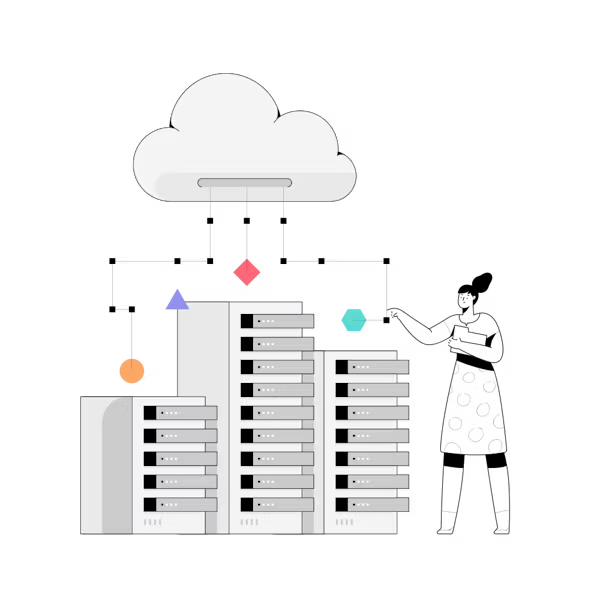
- The 2026 Standard: You need Isolated Container Hosting. This ensures your resources are yours alone. If another site on the server goes down, the isolation prevents the attacker from jumping into your store’s file system, which is a fundamental requirement for modern WooCommerce security.
6. Default Database Prefixes (wp_)
Leaving your prefix as wp_ is a sign of someone who is just starting out and doesn’t understand its importance. It’s a neon sign for SQL Injection (SQLi) scripts. If an attacker finds a flaw in a poorly coded contact form, they don’t have to guess where your data is; they already know it’s in wp_users, making it incredibly easy to access.
- Hardening Checklist:
- Randomize the prefix: Change it to something like
db_store_99_. - Kill remote access: Your database should only talk to
localhost. - Off-site Backups: Use Amazon S3 or Google Cloud. If your copies are on the same server, a Ransomware attack will encrypt your site and your backups at the same time.
- Randomize the prefix: Change it to something like
7. The PCI-DSS Myth: Why Stripe Isn’t a Total WooCommerce Security Solution
A lot of people use Stripe and I always hear the same thing: “Stripe handles my security,” while they forget about everything else. That is a dangerous half-truth for your e-commerce. It’s true that Stripe processes the payment, but your server delivers the code that creates the form in the customer’s browser.
If I hack your site, I can inject a “Skimmer” (Magecart style) that captures card data before it is ever sent to Stripe.
Real-World Case Study: The British Airways Invisible Attack This isn’t just theory. In an attack by the group known as Magecart, hackers managed to infiltrate the British Airways website and injected 22 lines of code into a JavaScript file (the “Modernizr” script).
How it worked: The code didn’t affect the site’s visuals or functionality—it was completely invisible. It simply waited for customers to type their card details into the checkout form and then sent a copy of that data to a hacker-controlled server in Romania.
The Consequences: Over 15 days, they stole the data of 380,000 customers. This resulted in a historic $26 million fine imposed by the ICO and reputational damage that took the company many years to recover from.
- The Solution: You need a WAF (Web Application Firewall) like Cloudflare Enterprise or Sucuri. A WAF filters malicious traffic before it reaches your server, blocking the injection at the root and preventing these situations.
The 10-Minute Security Audit (No Fluff)
Perform this quick audit to identify the low-hanging fruit in your WooCommerce security strategy:
- Ghost User Cleanup: Delete any “Administrator” accounts from former developers.
- Plugin Inventory: If a plugin hasn’t been updated in more than 4 months, replace it.
- Mandatory 2FA: If you don’t have two-factor authentication on your admin panel, you are practically asking to be hacked.
FAQ: Real Answers
Is WooCommerce less secure than Shopify? Shopify is a managed prison: it’s safe because you can’t touch anything. WooCommerce is the open road. With proper hardening, WooCommerce is superior because you control the firewalls and security headers directly.
Do free security plugins work? They work for scanning existing malware, but they won’t stop a professional attack. A plugin is a smoke alarm; a WAF is the sprinkler system. You need both.
How do I know if I’m being skimmed? It’s hard to see because it doesn’t “break” your site. The only way is through a File Integrity Monitoring (FIM) system that alerts you if a single file in your system changes without your permission.
Conclusion: Stop Being an Easy Target
In this market, your reputation is one of your biggest selling tools. Without it, you could have the best product in the world and you still won’t sell, because people care deeply about the service and the experience they are offered.
According to benchmark data on e-commerce trust and checkout abandonment, nearly 20% of shoppers will abandon their cart if they don’t trust the site with their credit card information. A “This site may be hacked” warning on Google will kill your SEO and your sales completely because people will stop trusting you.
Security isn’t a one-time process when you’re creating your store; it’s something that must be maintained and watched over time.